
Every collector knows
who to call today.
Installments are invoiced when they fall due, buyers are reminded, and late money gets a name, a date and an owner, all posted to a real general ledger.
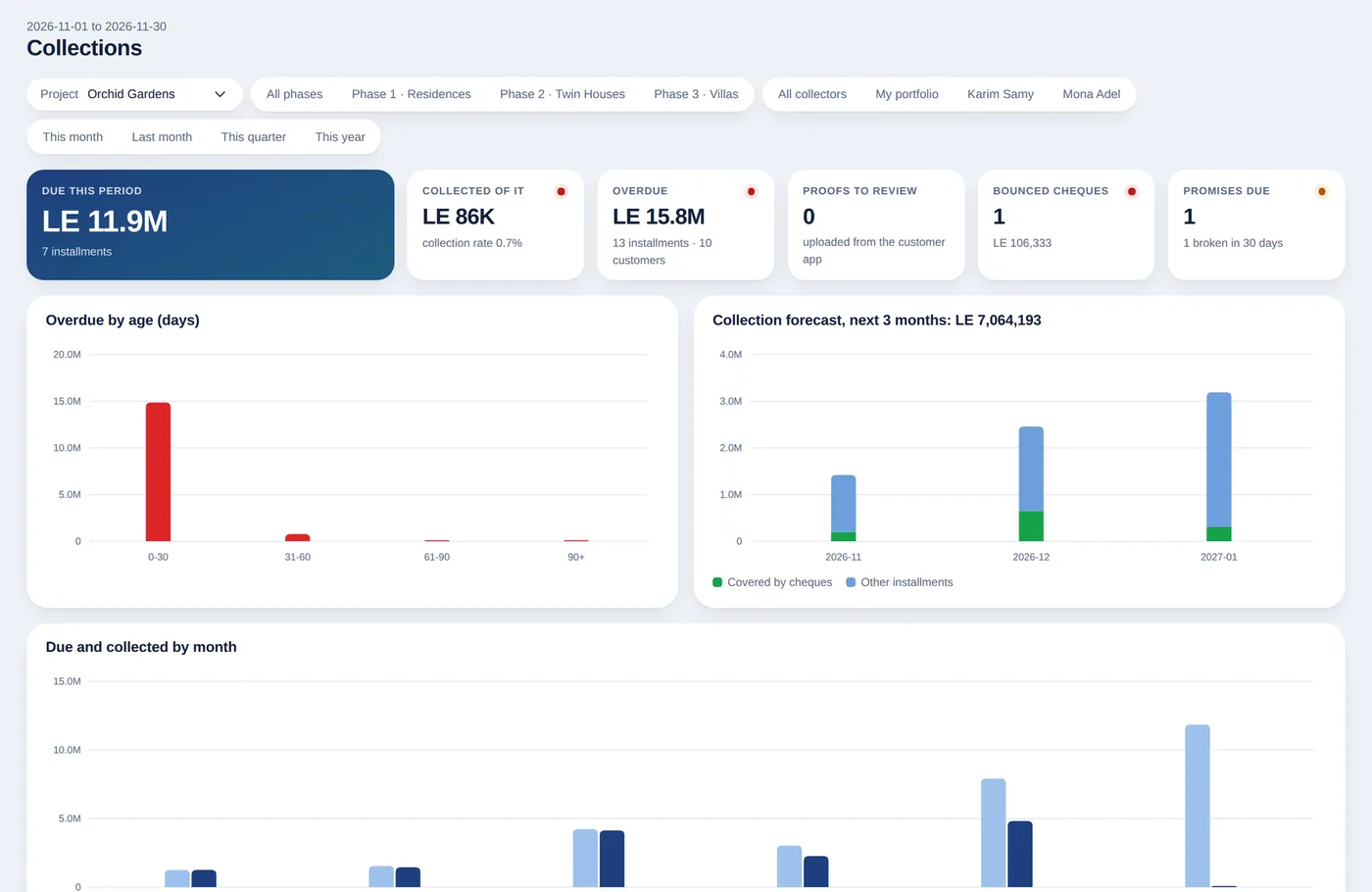
XSquare Real Estate invoices each installment on its due date, sends reminders and tracks overdue amounts by age. Collectors work from their own portfolios, with promises to pay that mark themselves kept or broken from real payments.
A workspace for collectors
What fell due and what came in, overdue by age, the customers most behind and each collector's results.
- Each customer has a collector, and managers compare the team
- Promises to pay with a date and an amount, checked against payments
- Bounced cheques, payment proofs and post-dated cheques in the same menu
- Calls and visits logged, so the next collector sees the whole story
Reminders and penalties by rule
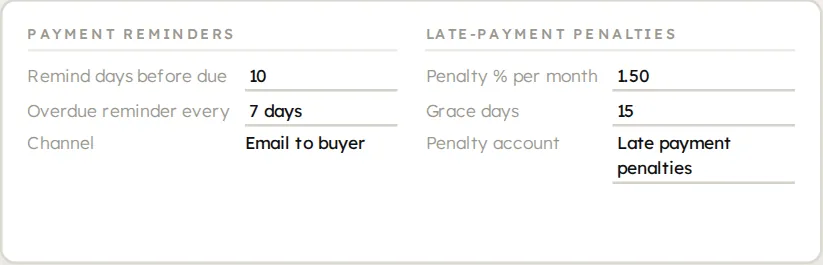
Overdue buyers are reminded by rule, and no penalty reaches a buyer without a manager's decision.
- Reminders before, on and after the due date, by email and in the customer app
- Late-payment penalties after a grace period, proposed for a manager to approve or waive
- Reminders can be paused per customer
Aging and forecast you can trust
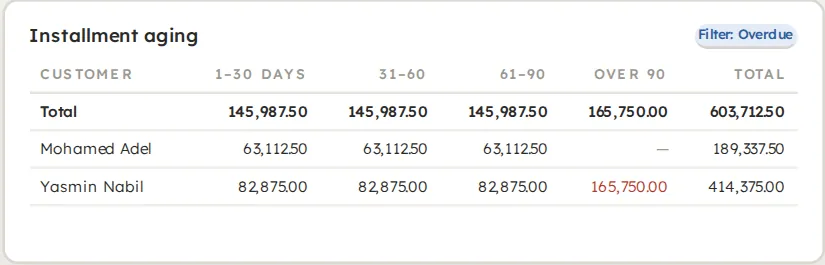
See what is overdue, and how much is still to collect, to plan construction cash flow.
- Aging by customer in 1–30, 31–60, 61–90 and over-90-day buckets
- Collection forecast by month or year, per project
- Revenue at handover or as invoiced, set per company
- Separate accounts for income, penalties, deposits and customer advances
Statements in seconds
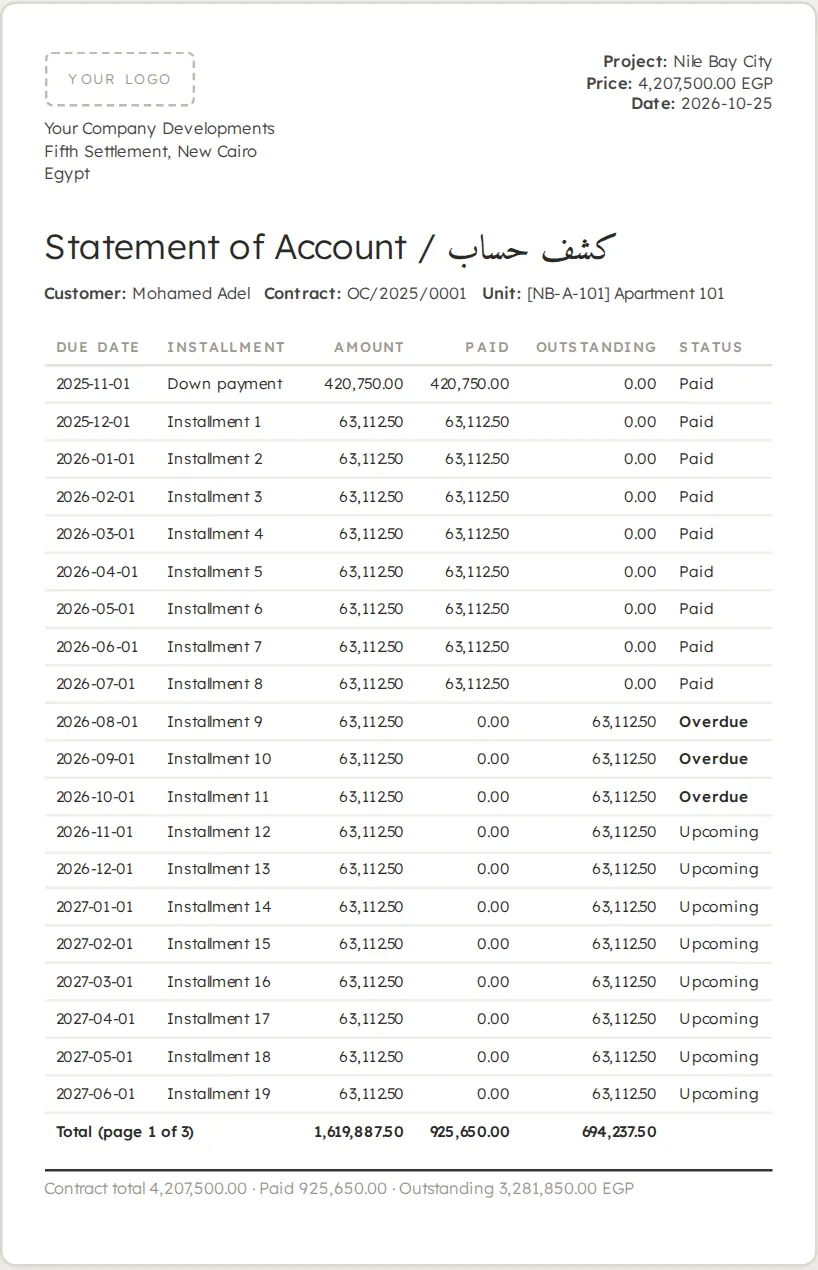
Answer a buyer's question while they are still on the phone.
- Statements for any period, in English or Arabic
- For one customer or many at once
- Downloadable by the buyer from the portal
Common questions
Are installments invoiced automatically?
Yes. A daily job invoices each installment when it falls due, or a set number of days before.
How do late-payment penalties work?
You set a monthly percentage and a grace period. The system works out the penalty and, by default, a collections manager approves it into an invoice or waives it.
How are promises to pay tracked?
Each promise has a date and an amount, and is checked against real payments: it is marked kept, or broken once the date passes.
How do reminders reach buyers?
By email and in the customer app, according to rules you set for before, on and after the due date.
Related features
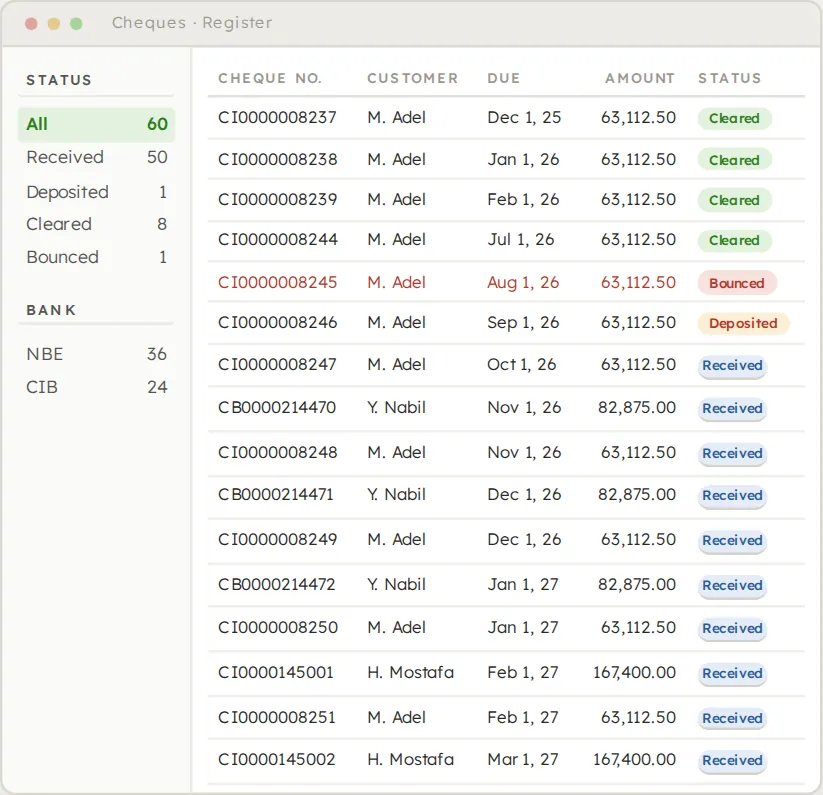
Cheque printing and management
104 bank layouts, one-run printing and the full cheque life cycle.
See the feature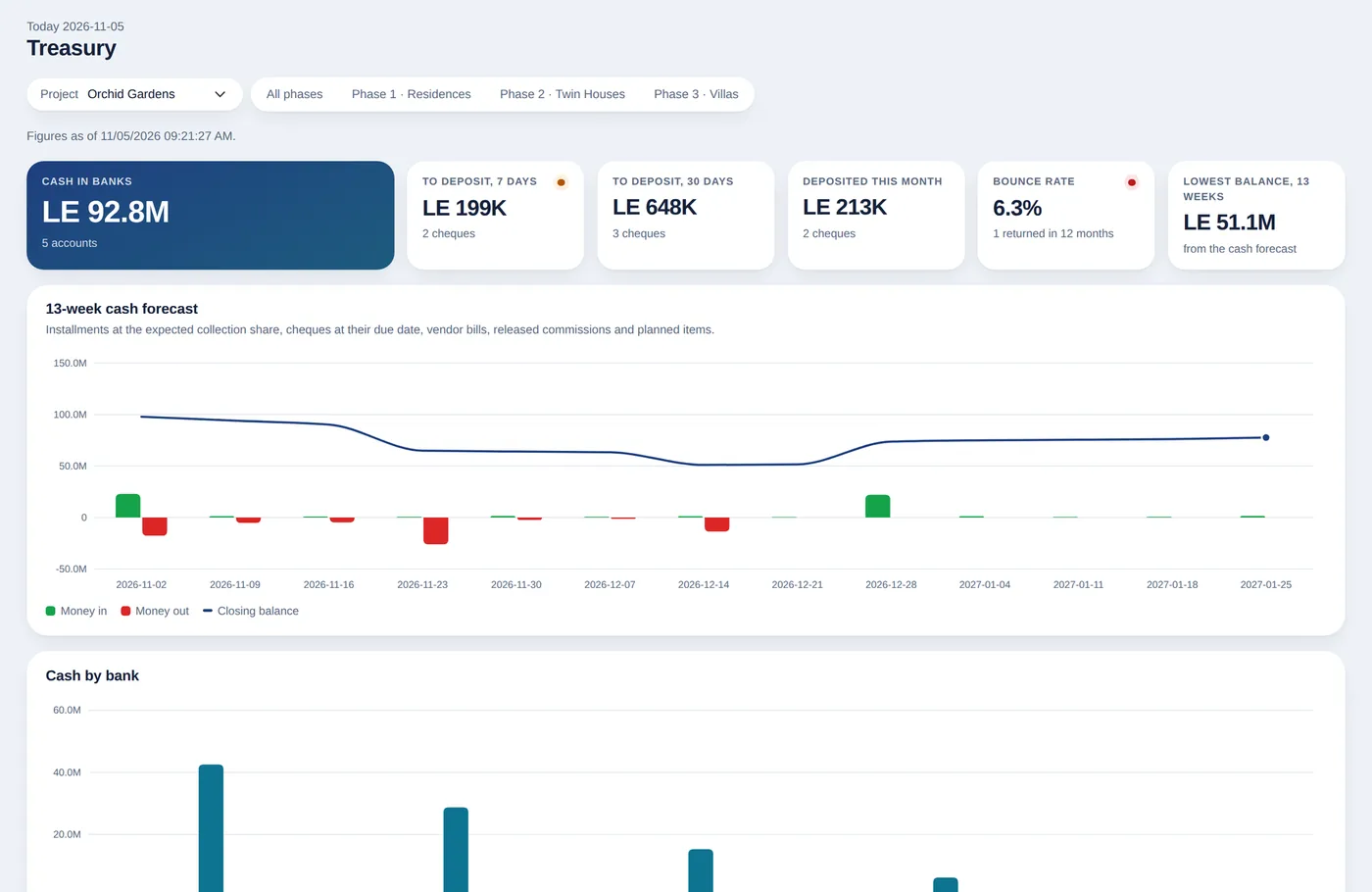
Treasury and bank reconciliation
Cash positions, deposit slips, 13-week forecast and smart reconciliation.
See the feature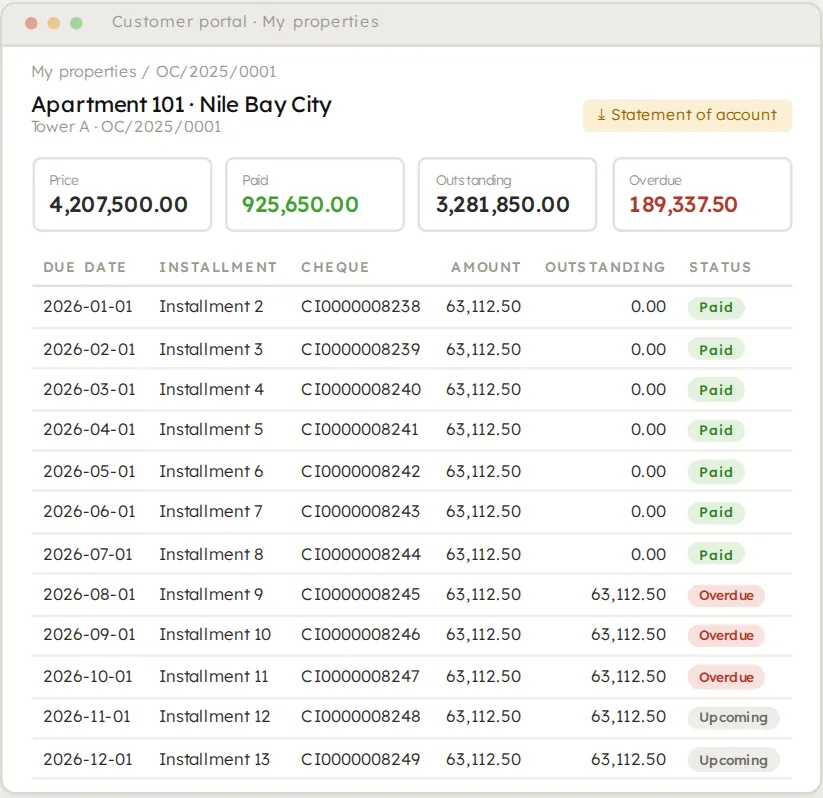
Buyer and sales apps
A customer portal, a buyer app and a sales app in your own brand.
See the featureSee it on your own project.
Bring your project, your payment plans and your hardest questions. We walk you through the system in a live demo.