
Price every unit
with confidence.
Set, release, value and track the price of every unit from one studio, inside the same system that holds your units, contracts and collections.
Pricing Studio is the pricing part of XSquare Real Estate. It has four tools around a stacking plan: a pricing matrix, releases with price escalation, payment plan value with NPV and IRR, and an absorption dashboard.
Pricing matrix: one set of rules for every unit
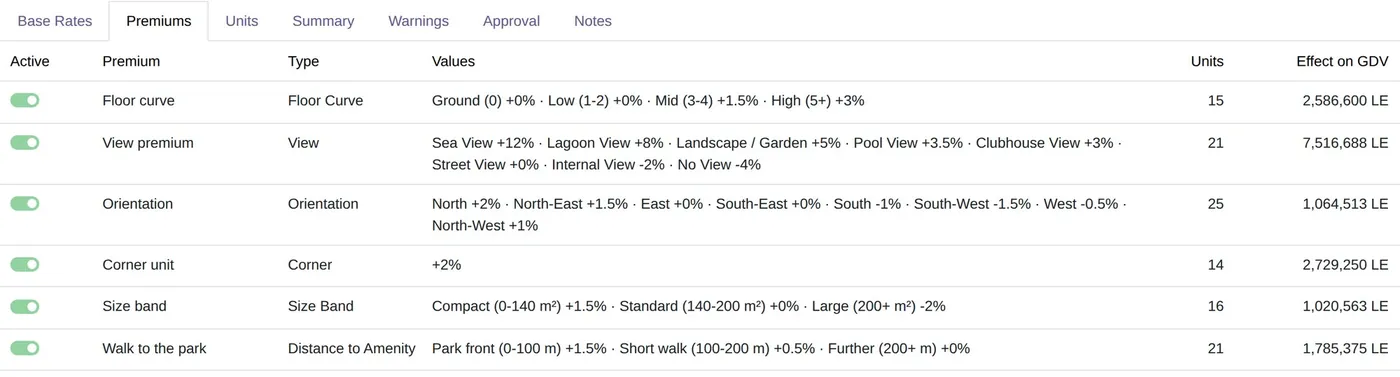
A pricing study holds your logic once. Change one rule and every unit follows, with the reason on record.
- Base rates per m² and nine premium types, including view, floor, orientation and corner
- Guard rails, rounding and consistency warnings before prices go out
- Scenarios side by side, and solving for a target sales value
- Calibration of premiums from the sales you already made
- Approval, price history, Excel price list and PDF price book in English and Arabic
Stacking plan: the whole project on one screen
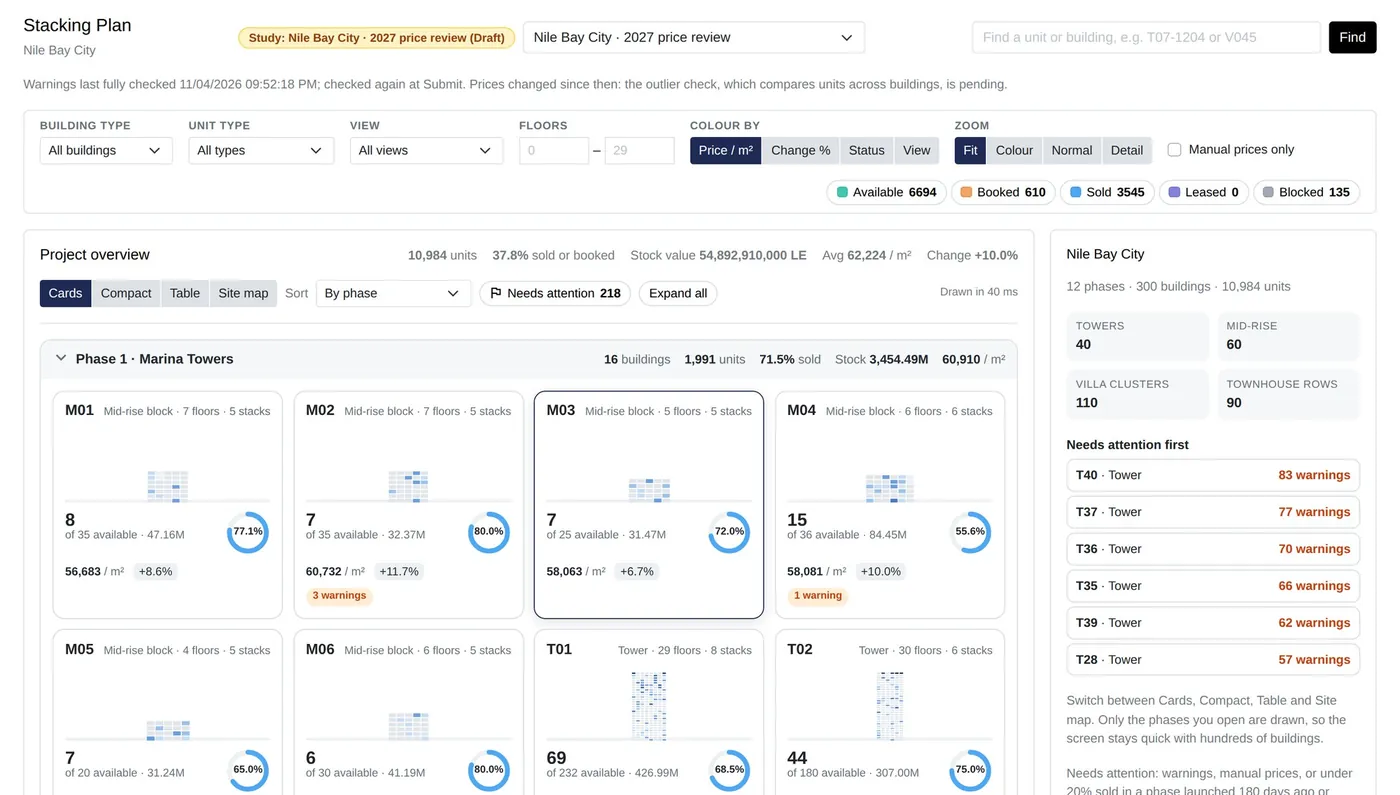
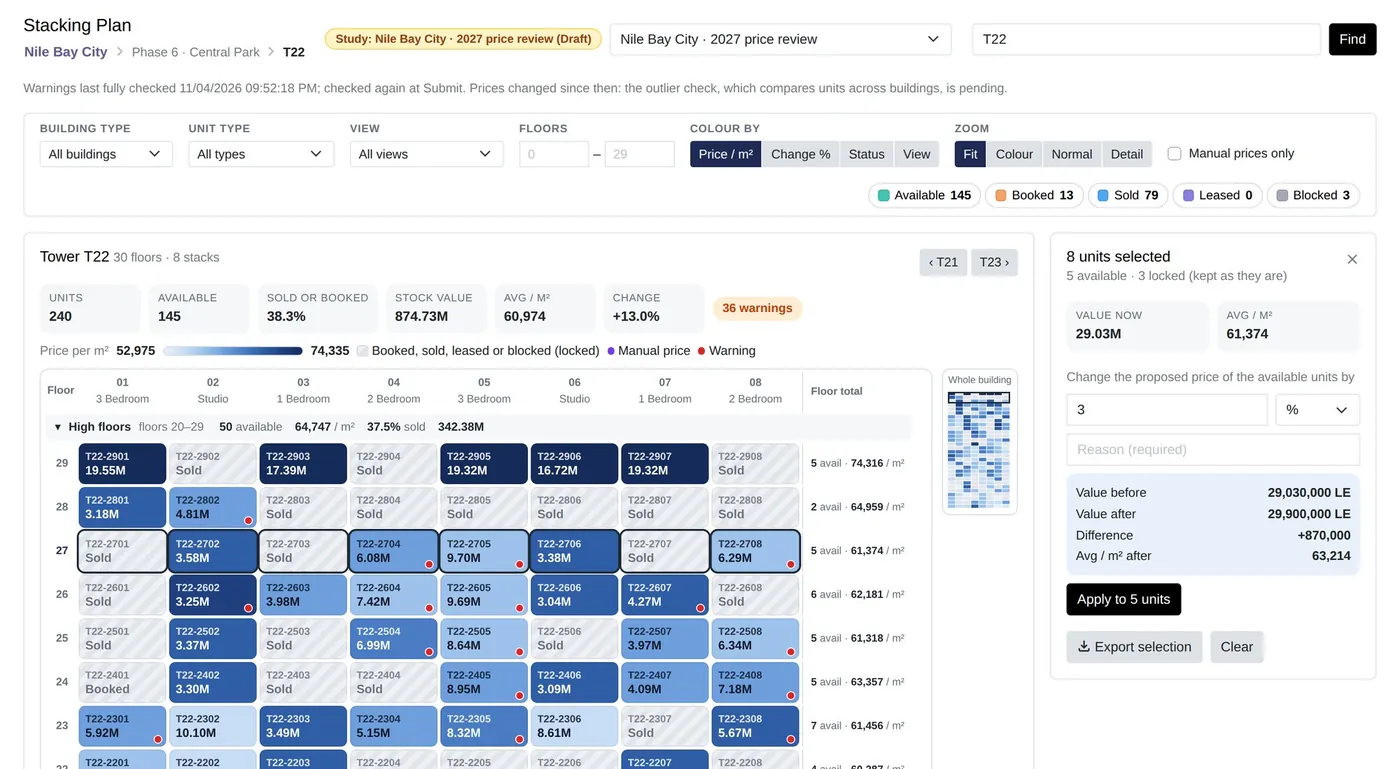
See your project phase by phase, with cards, a compact list, a table or a site map. Open a tower and see every unit as a heatmap.
- Colour by price per m², change, status or view
- Search and filter by type, view, floor or manual prices
- Bulk change a floor, stack or block with a live preview of value before and after
- Buildings that need attention are flagged first
- Tested on our test server with a 300-building, 10,984-unit project
Releases: prices that rise on schedule
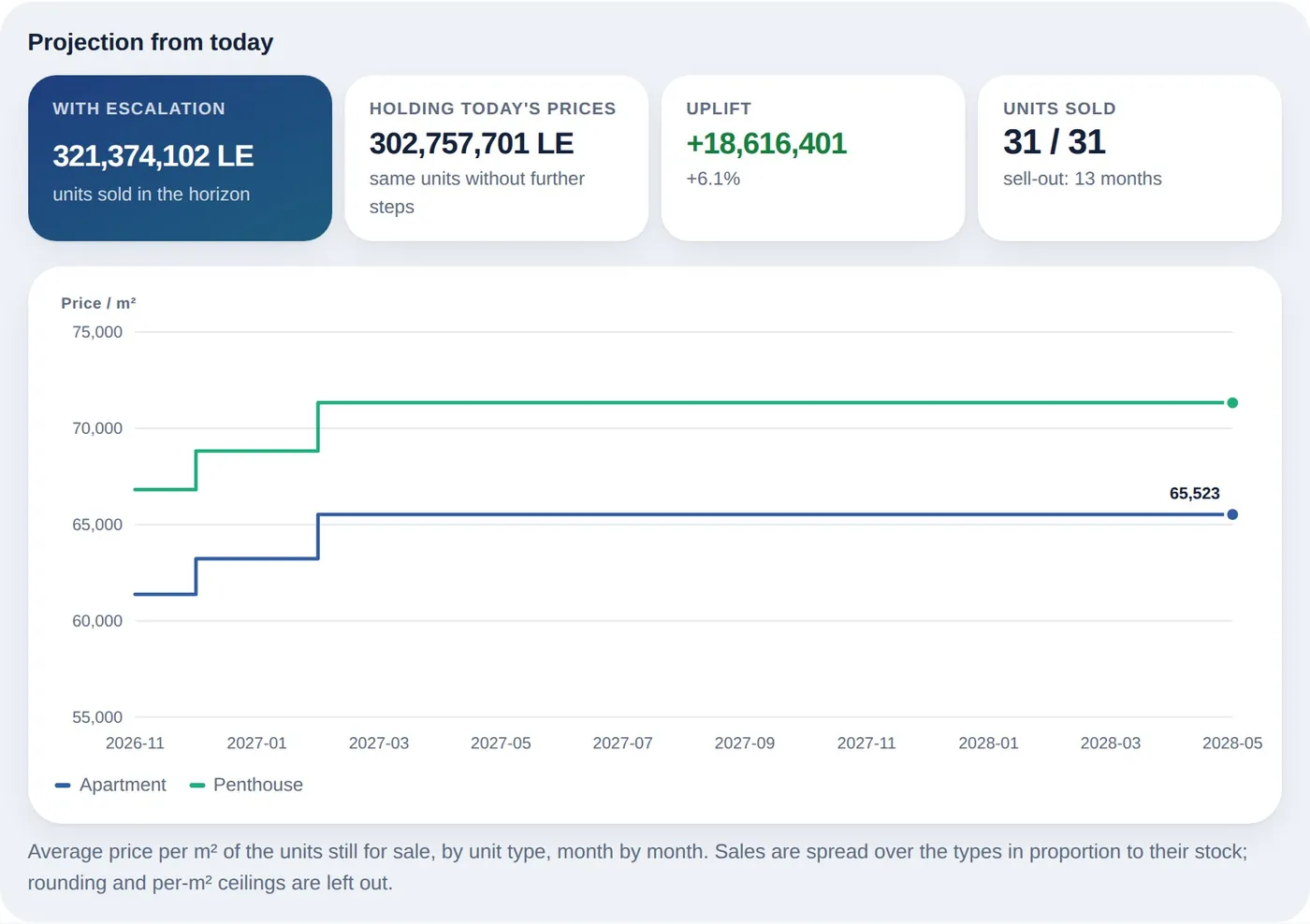
Take a phase or tranche to market at its launch prices, then let prices step up by the calendar, on a date, at handover or as units sell.
- Time, dated, handover and sales-velocity steps
- A cap on total increase, a ceiling per m² and an inflation floor
- A daily run applies due steps and logs each one
- A forecast of sales value with escalation against holding prices
- Broker price sheets in English or Arabic
Plan value: what a payment plan is really worth
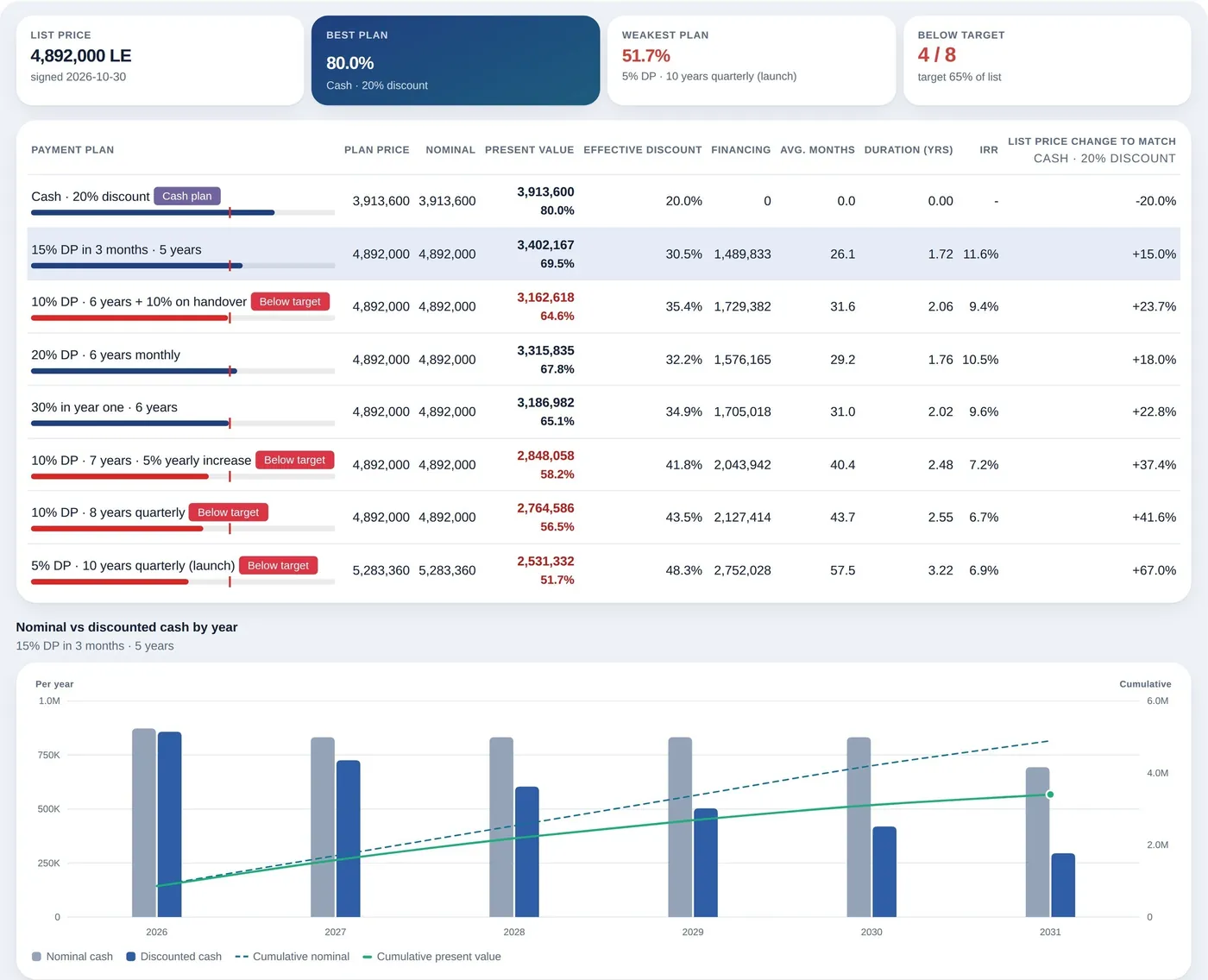
A pound in ten years is not a pound today. Compare every plan side by side in today's money, at the discount rate finance sets.
- NPV and IRR of each plan, with duration and average months to cash
- The break-even cash discount
- Target value, with below-target plans flagged and a suggested plan price
- IFRS 15 and EAS 48 financing figures for your accountants, for information
Absorption: how fast you sell, and what to do
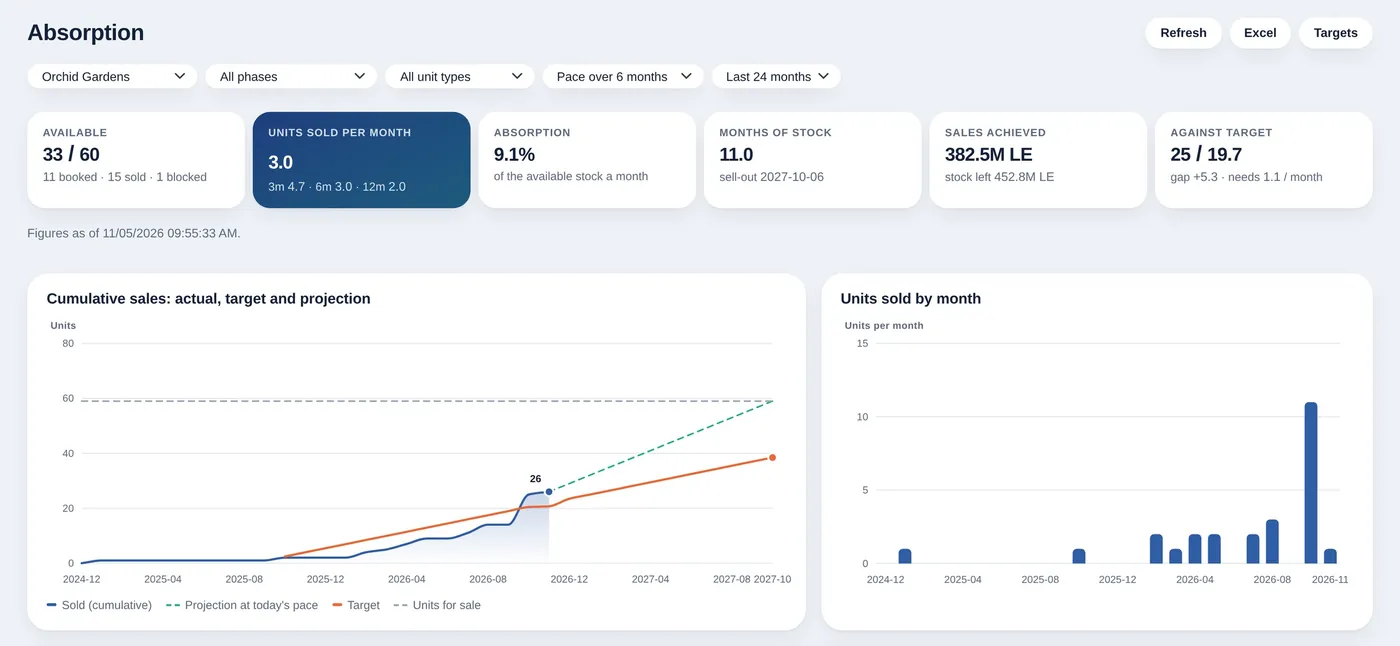
Turn bookings and contracts into pace, stock and a sell-out date, by project, phase, unit type, price band, floor band and view.
- Units sold per month, absorption rate and months of stock
- Sales targets and the pace now required
- A plain reading per segment: hold, discount or escalate
- Drill down to the contracts and bookings behind each figure
Common questions
What is a stacking plan?
A stacking plan shows every unit of a building by floor and column, usually coloured by price or status, so you can review pricing and availability at a glance and change a floor or stack together.
How does it compare payment plans?
It discounts every installment of each plan at your discount rate and shows each plan's net present value and internal rate of return side by side, with the break-even cash discount.
What is an absorption rate?
The share of available stock sold per month. Pricing Studio shows it with months of stock and a projected sell-out date, and reads each segment as hold, discount or escalate.
Does Pricing Studio post accounting entries for IFRS 15?
No. The IFRS 15 and EAS 48 figures are information for your accountants: it builds the interest schedule per contract and posts no journal entries.
Can we move our prices in from Excel?
Yes. Units and prices can come in through Odoo's standard import, and studies export to Excel and a PDF price book.
Related features
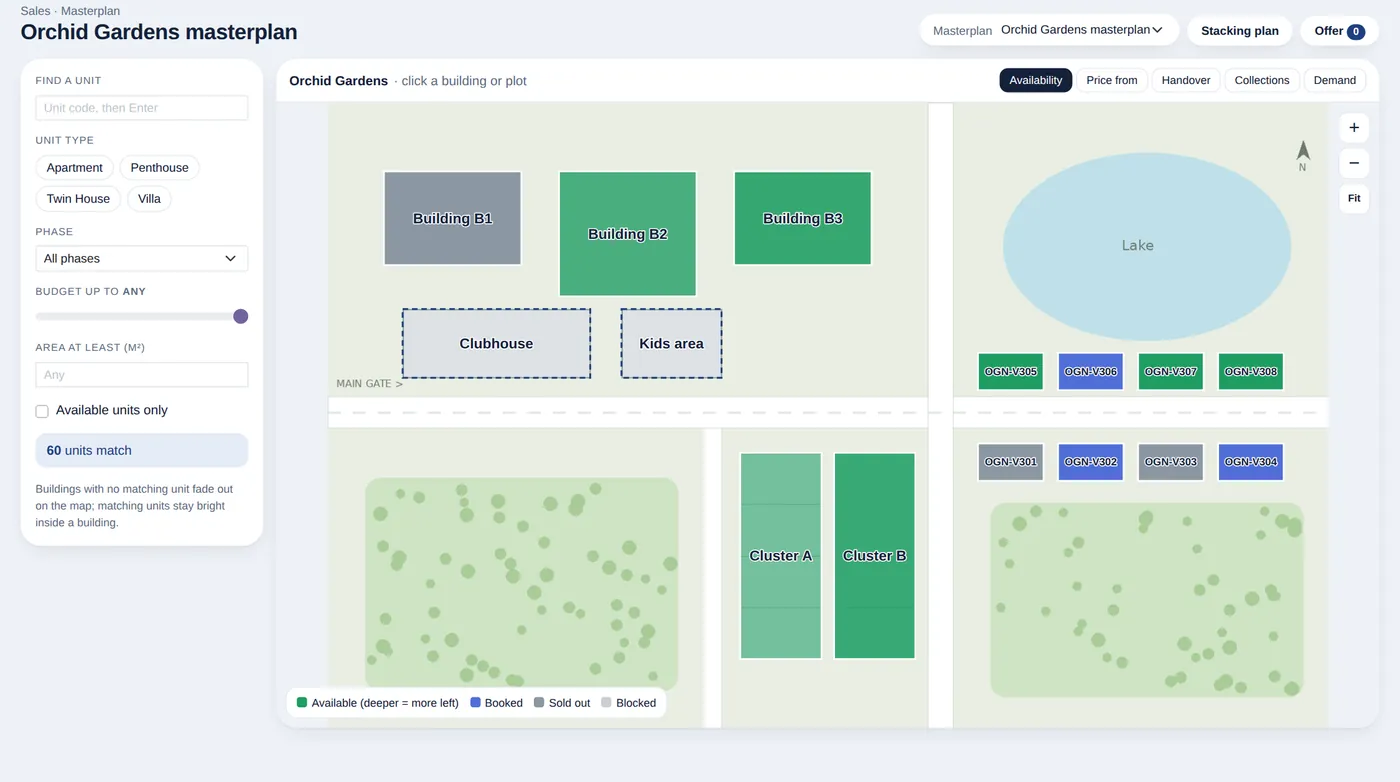
Masterplan
A clickable site plan with live availability, prices and handover dates.
See the feature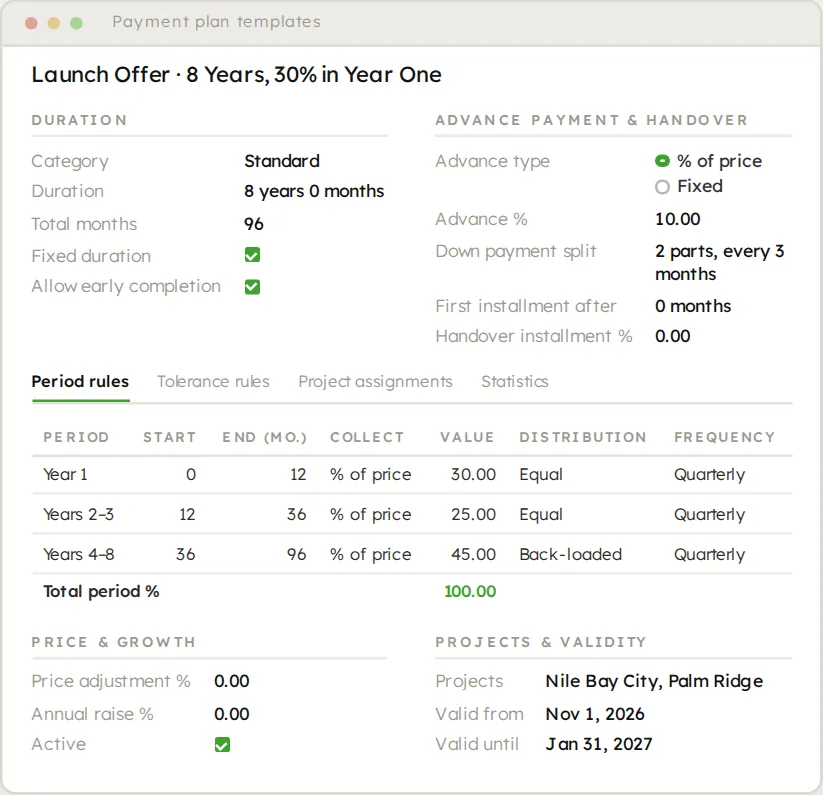
Contracts and payment plans
Any plan as a reusable template, exact to the piaster, with real approvals.
See the feature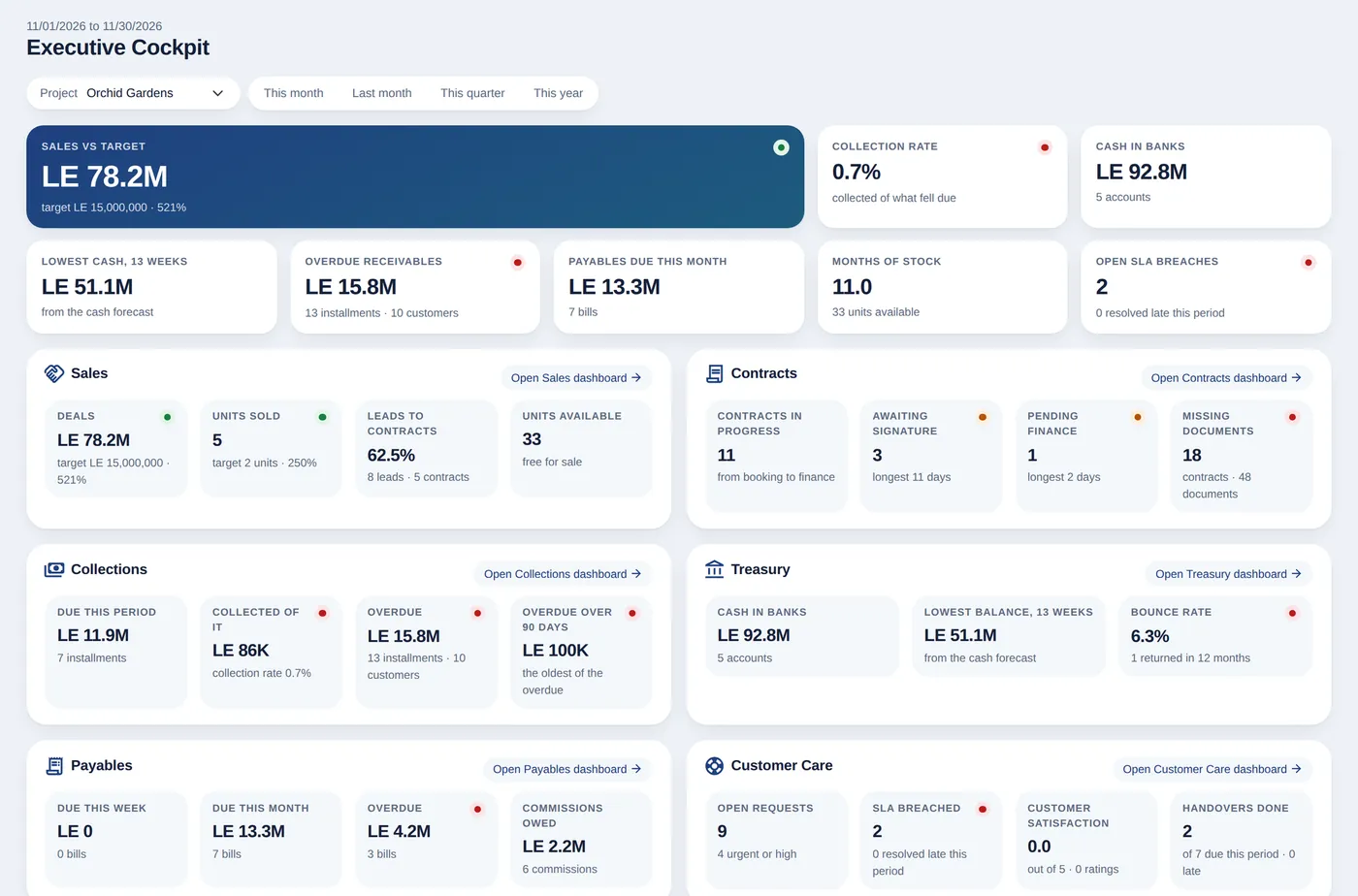
Team workspaces and executive cockpit
A workspace per team and one page for the CEO and CFO.
See the featureSee it on your own project.
Bring your project, your payment plans and your hardest questions. We walk you through the system in a live demo.