
How to price off-plan units across a project
· XSquare
Price off-plan units with one set of rules: a base rate per square metre for each unit type, premiums for view, floor, orientation and corner, then guard rails and rounding. Check the result on a stacking plan before release, and adjust using your pace of sales.
Start from rules, not from a price list
A price per unit typed by hand drifts. A corner unit on floor 6 ends up cheaper than the same unit on floor 4. Define your logic once as base rates and premiums, so that changing one rule moves every unit that qualifies.
Common premiums
View, floor curve, orientation, corner, private roof, garden, distance to an amenity and size band. Each can be a percentage of base, an amount per square metre or a fixed amount.
Add guard rails
Set a minimum and maximum price per square metre, a rounding rule, and warnings for floor-order breaks, outliers and big jumps against today's price.
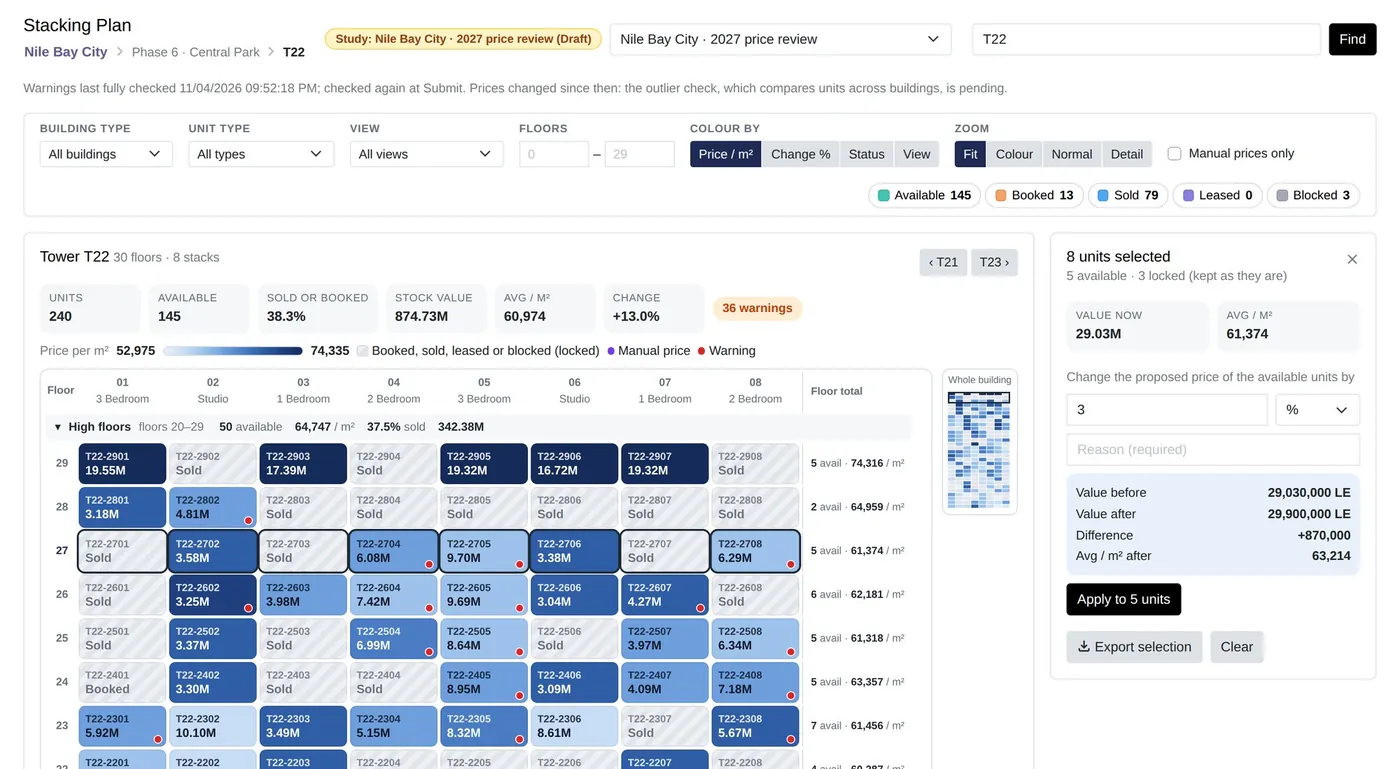
Review on a stacking plan
A stacking plan shows every unit by floor and column, coloured by price. Mistakes that are invisible in a table stand out at once. Bulk changes should show the value before and after, and need a reason.
Release in stages
Launch a phase or tranche at its launch prices, then step prices up by the calendar, on dates, at handover or as units sell. A cap and a ceiling per square metre keep steps inside your policy.
Read the pace of sales
Absorption, the share of available stock sold per month, tells you whether to hold, discount or escalate, segment by segment. What you learn feeds the next pricing study.
Common questions
What is a pricing matrix?
A set of rules that prices each unit from a base rate and premiums, so that every unit is priced the same way and any price can be explained.
What is price escalation?
Raising prices in planned steps during sales, by time or as units sell, usually with a cap on the total increase.
See it on your own project.
Bring your project, your payment plans and your hardest questions. We walk you through the system in a live demo.